iCUE LINK on Linux
How a motherboard with zero fan-control support under Linux ended up with fully scriptable fan speed and synced ARGB lighting — and the four separate systems that had to be debugged to get there.
The rig
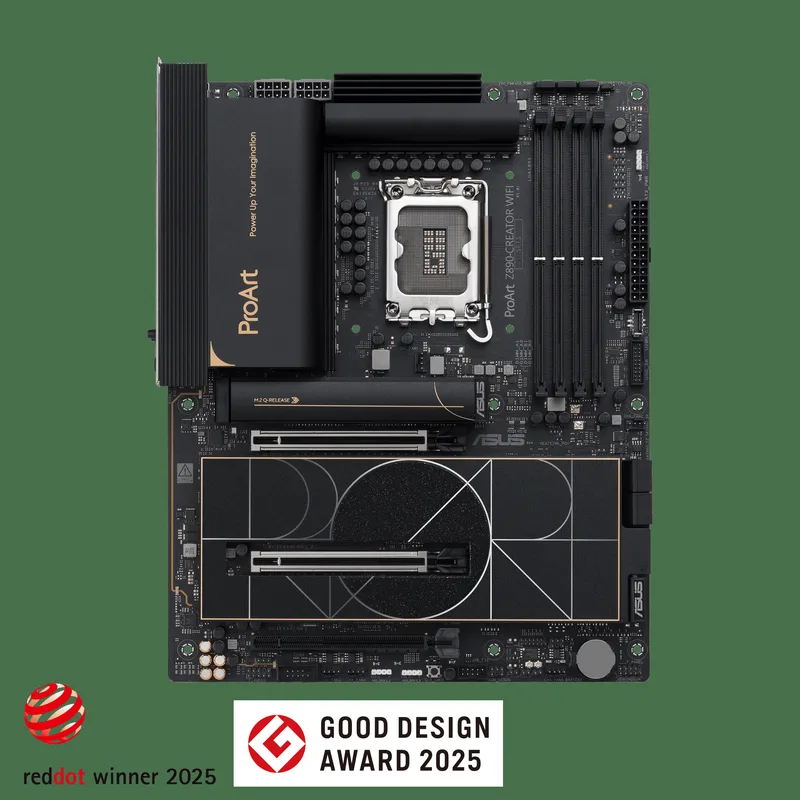
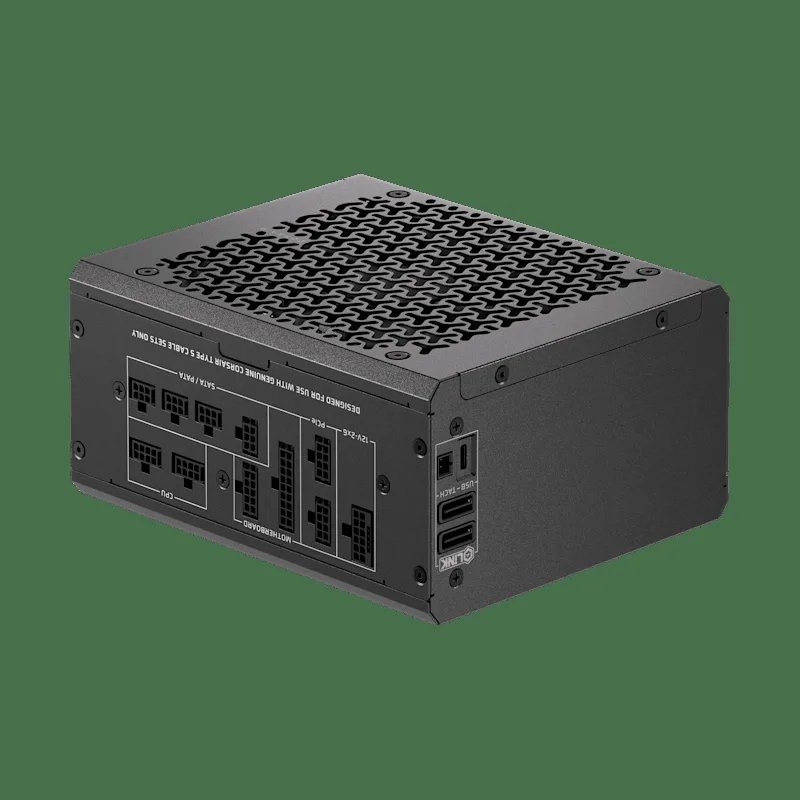
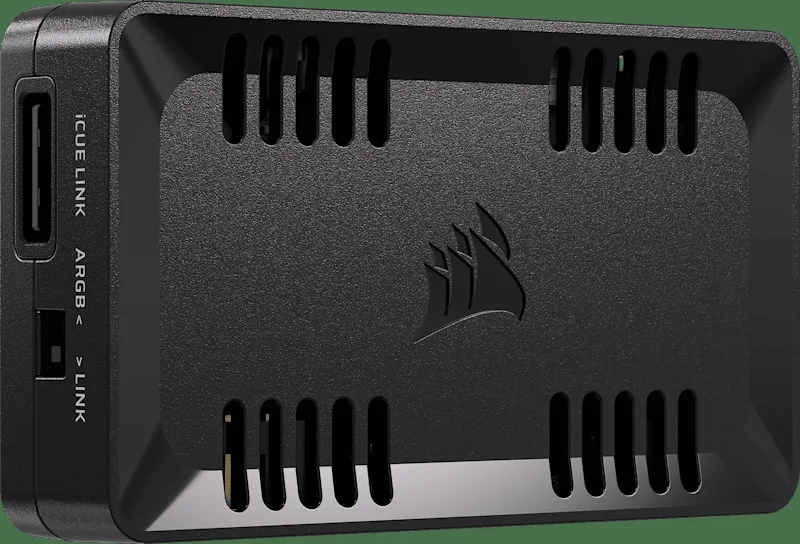
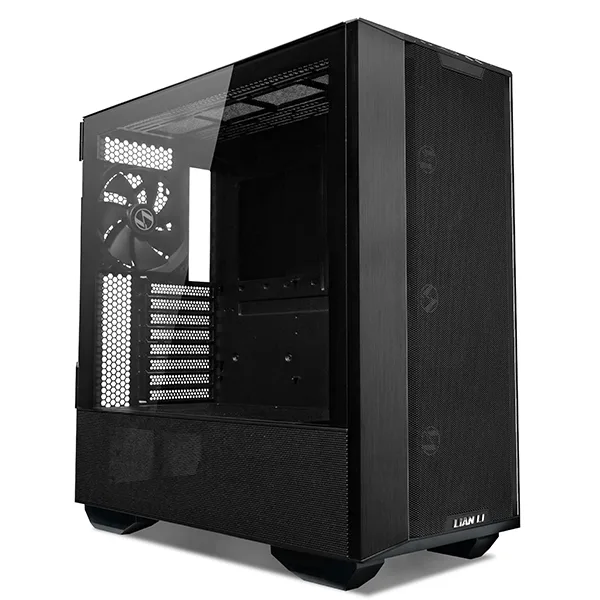
| Driver | OpenLinkHub — unofficial, open‑source Go daemon, REST API on :27003 (not affiliated with Corsair) |
|---|---|
| Workstation | Intel Core Ultra 9 285K (24 cores) · 64GB RAM · NVIDIA GeForce RTX 5080 · Samsung SSD 9100 PRO 2TB NVMe |
| OS | Ubuntu 26.04.1 LTS “Resolute Raccoon”, kernel 7.0.0‑31‑generic |
Case fans on this board sit on a Nuvoton Super I/O chip with no Linux hwmon binding. sensors sees CPU, NVMe, and NIC — nothing else. No RPM, no PWM, no path to the board's own ARGB header either: Aura Sync has never shipped a Linux client. If your fans and lighting are wired to the motherboard, Linux is blind to both.
The way out was to stop asking the motherboard to do this job at all, and move fan and lighting control onto Corsair's iCUE LINK protocol instead — which has a real, actively maintained Linux daemon in OpenLinkHub, an unofficial, community-built project with no ties to Corsair itself. What follows is the log of getting there, roughly in the order it actually happened, including the parts that didn't work.
1. The adapter goes dark
Silent failure
A Corsair iCUE LINK Commander Duo — two PWM channels, two ARGB channels — got plugged into the PSU's rear LINK port. Worth knowing up front: on a Shift-series PSU like the HX1000i Shift, the iCUE LINK System Hub is built into the power supply itself. There's no separate hub unit to find; the PSU's own LINK port is the hub's downstream port. Assuming a standalone hub box was missing wasted the first hour here.
The Duo took power fine — its fans spun at an unmanaged default speed — but never showed up in a device scan:
curl http://127.0.0.1:27003/api/devices/Service restarts, reseating both ends of the LINK cable, swapping to the PSU's second LINK port, a full rocker-switch power cycle — none of it changed the result. No errors logged anywhere. The Duo's local power and fan circuitry clearly worked; whatever handshake it needed with the hub's data bus wasn't happening.
2. Root cause: firmware on both ends was years behind
Diagnosed
The hub firmware read 3.0.558. Corsair's current release was 4.1.656 — five point-releases behind, several with changelogs that just said “added support for new iCUE LINK device(s)” with no names given. The hub genuinely didn't recognize the Duo's device ID yet, which is exactly why nothing was logged: as far as the hub was concerned, nothing was wrong.
The Commander Duo itself turned out to be just as far behind on its own onboard firmware. This wasn't a “might as well, while we're in there” extra — both flashes were non-negotiable to getting the device working at all. A hub that doesn't recognize a device ID will never enumerate it no matter how current that device's own firmware is, and a Duo running firmware from before the hub's current release has no guarantee of speaking a bus dialect the hub still accepts. Skip either update and the Duo stays invisible.
OpenLinkHub can't push firmware to either device — its dashboard only displays the version, read only. Updating requires Corsair's official iCUE 5 app, which is Windows-only.
3. Standing up a VM just to flash firmware
Resolved
Rather than dual-boot, iCUE 5 ran inside a VirtualBox VM — specifically a Windows 11 Enterprise 90-day evaluation image from Microsoft's own Evaluation Center, so no license had to be bought just to flash two pieces of firmware — with USB passthrough handed first to the hub and then to the Commander Duo in turn, to flash each device's firmware in the same session. Flashing firmware over a virtualized USB stack carries a real bricking risk if the connection drops mid-write — a Windows-To-Go USB drive booting real hardware is the safer route if you'd rather not take that on. It worked cleanly here, but the risk was real, not theoretical, and doubly so running two flashes back to back.
Getting VirtualBox itself stable on a Secure Boot, Wayland desktop took three fixes:
sudo mokutil --import /var/lib/shim-signed/mok/MOK.der
sudo reboot
# blue "MOK Management" screen: Enroll MOK -> Continue -> Yes -> enter the passwordsudo usermod -aG vboxusers $USER
# then log all the way out and back in -- group changes don't reach running sessions# ~/.local/share/applications/virtualbox.desktop
Exec=env QT_QPA_PLATFORM=xcb VirtualBox %UOne more trap: virtualbox-guest-additions-iso is a separate package from base virtualbox — without it, “Insert Guest Additions CD image” just fails trying to hit the network.
With that sorted, both flashes — hub first, then the Commander Duo itself — went through cleanly. Afterward:
curl http://127.0.0.1:27003/api/devices/
# -> iCUE COMMANDER DUO - Channel 1   618 RPM
# -> iCUE COMMANDER DUO - Channel 2   859 RPM
# -> iCUE LINK HX1000i (PSU) 554 RPM (was always 0 before)4. A quiet spec violation
Fixed
Fans wired into FAN1/FAN2 and the case's ARGB output into ARGB1/ARGB2. Speed control worked immediately. Color didn't — and part of the reason was self-inflicted: the per-channel LED count was set to 90, a rough guess for a 3-fan daisy chain. Corsair caps ARGB headers at 50 LEDs per channel. Corrected to the actual chain length:
curl -X POST http://127.0.0.1:27003/api/color/override/update \
-d '{"deviceId":"<hub-serial>","channelId":2,"enabled":true,"ledChannels":48}'This alone didn't restore sync — the real blockers were still ahead — but it's worth checking early on any daisy-chained ARGB run.
5. Three software gates, found one log line at a time
Resolved
Every color push returned success. Nothing lit up. stdout.log gave up the real story one restart at a time:
- OpenRGB integration was on — hands color ownership to OpenRGB and turns OpenLinkHub's own pushes into no-ops. Switched off in the device profile.
- A dashboard-wide
rgbOffflag, logged as"Exiting setDeviceColor() due to RGB being set to Off"— a global kill switch, separate from any per-device setting. The update endpoint wants the full settings object back, not just the one changed field. - Even clean, still dark — because the actual bottleneck wasn't software at all.
6. The case has its own controller, and it wasn't listening
Partial dead end
The Lancool III's fans daisy-chain into an in-case, SATA-powered ARGB controller with physical C (Color) and M (Mode) buttons. Per the case manual, C cycles “7 built-in colors, 8th = sync with motherboard” — that 8th state is the door to external control, in theory.
Two sessions of rigorous button archaeology, each state checked by pushing a genuinely unlikely color and watching for it to land, ruled out:
- C, short press — a clean 7-color loop, red through white and back to red. No distinct 8th state ever surfaced.
- M, short press — cycles effect type (solid / flash / rainbow), a different axis entirely.
- M, 3-second hold — a plain ARGB on/off toggle, not a state-save action, confirmed when it killed the LEDs outright.
Direct enumeration (not the sandboxed, often-unreliable lsusb) settled one open question for good:
ls /sys/bus/usb/devices/
# no Lian Li device present -- the controller has no USB at allSATA power in, ARGB signal out, buttons as the only interface. Lian Li's L-Connect software — on any OS — was never going to see this board.
As a parallel test, the ARGB cable moved to the motherboard's own header, with the Aura USB controller passed through to a Windows VM running Armoury Crate, DMI-spoofed to the board's real identity.
Worth flagging: when spoofing SMBIOS/DMI values for a test like this, pull them live from /sys/class/dmi/id/ rather than an old saved dump — a BIOS update since your last export will report a version that no longer matches reality.
Armoury Crate correctly recognized the board this way — and still reported zero Aura devices. Full RGB header control looks like it needs direct SMBus/ACPI access that USB passthrough alone doesn't grant inside a VM. Dead end, at least for this setup.
7. What actually fixed it
Resolved
More M-button cycling, reseating every connector that could physically be reseated, an M-button hold-and-release, then cycling back around — and the next color push simply worked. It's stayed reliable since, through repeated toggling and a full reboot.
Because “reseated every cable” was explicitly part of what changed, the honest read is that a marginally-seated ARGB connector was the real root cause the whole time, and a fair share of the button-state theorizing above was chasing a symptom rather than the cause. If you land on this exact wall, reseat every connector in the chain before investing in the button archaeology.
8. LEDs don't render sRGB values literally
Calibrated
Once sync worked, textbook colors didn't look like themselves through the fan diffusers. Two corrections, found by eye:
rgb(255,165,0) → reads yellow rgb(255,70,0) → reads true orange
rgb(0,255,65) → reads cyan rgb(0,90,0) → reads true dark green
Expect to eyeball-correct against the actual diffuser rendering, not just the RGB triple on paper.
9. Two capabilities worth knowing about
Temperature-reactive lighting — no GPU utilization sensor exists, but a built-in gpu-temperature profile ramps green→yellow→red across configurable thresholds (20°/50°/80°C by default). The readout tracks real load: it climbed from 34°C to 41°C over the course of a local LLM inference run.
curl -X POST http://127.0.0.1:27003/api/color \
-d '{"deviceId":"<hub-serial>","channelId":2,"profile":"gpu-temperature"}'Time-of-day scheduling — an on/off gate around whichever profile is currently active, not a way to schedule different colors at different times:
curl -X POST http://127.0.0.1:27003/api/scheduler/rgb \
-d '{"rgbControl": true, "rgbOff": "21:00", "rgbOn": "06:30", "lcdControl": false}'10. Confirmed across a reboot
Verified
Not assumed — checked. OpenLinkHub.service is enabled and came back on its own. The static profile's saved color and both channels' profile assignment were unchanged after restart. database/scheduler.json still held the configured times.
If you're hitting the same wall:
- Check whether your PSU has a LINK hub built in before assuming a standalone hub is missing.
- Silent non-detection on a LINK device means check firmware on both the hub and the device itself before touching a single cable — either one being stale is enough to keep the other invisible.
- Respect the 50-LEDs-per-ARGB-header limit on daisy-chained runs.
- When color pushes report success but do nothing: OpenRGB integration, then the dashboard's global RGB-off switch, then whether your case's own controller needs telling — via its own buttons — to listen at all.
- Reseat every connector before spending hours theorizing about controller button states.
- Don't trust an RGB triple at face value on ARGB diffusers — calibrate by eye.
- Verify persistence across a reboot before calling it done.
Questions, corrections, or your own iCUE LINK-on-Linux war story? Get in touch.